

How to create a company in tally prime
Below are the steps to create a company in Tally Prime.
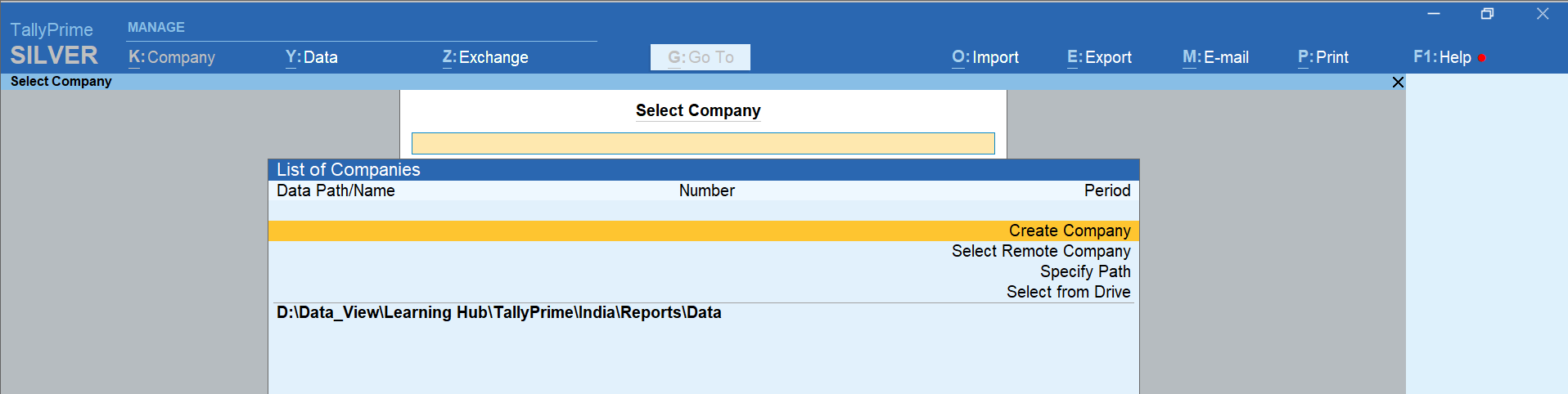
- To being with, press “Enter” on “Create Company”
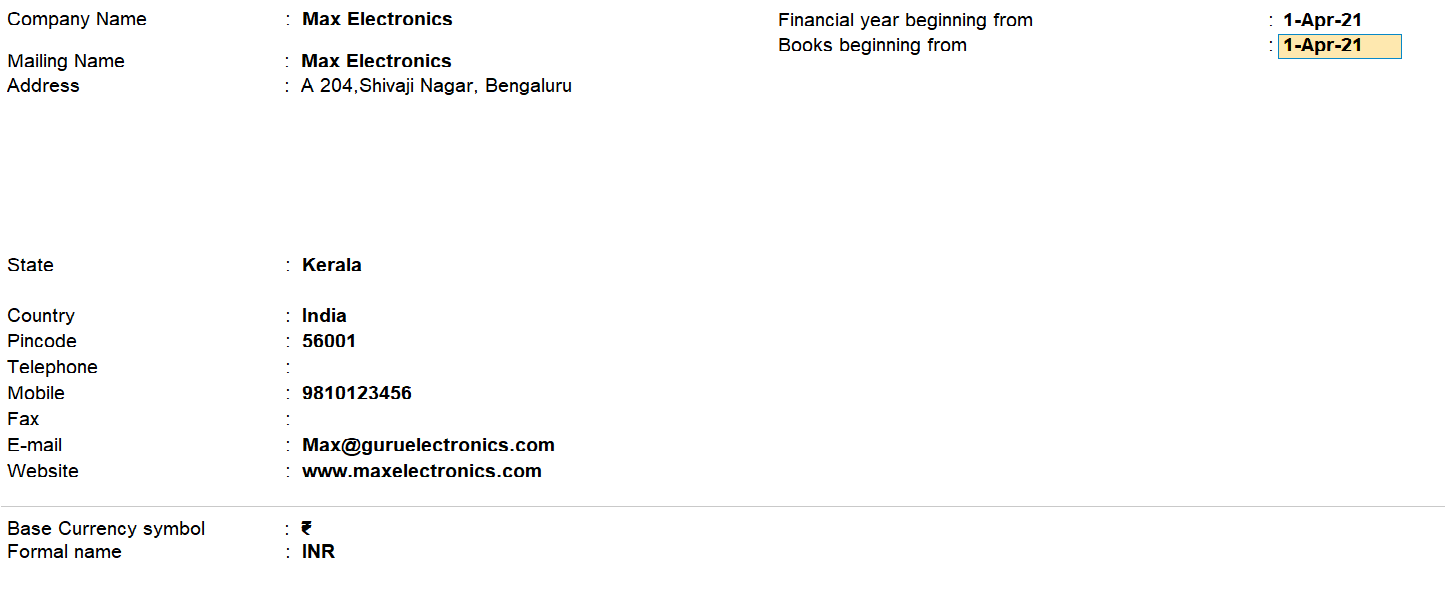
- Type the name of your company. For example, “Max Electronics”
- Type your address and select your state or province
- Country will be selected automatically
- Type your Pin code
- Mention the contact details of your company
- Next, specify the financial year from which you want to maintain your books in Tally Prime
- Press F12 to configure and enable options as necessary
if you want to add more information. You can enable "Use User Access Control" to manage user roles and logins and to create passwords for corporate data. To accept the configurations, hit
"Enter.".
- Make your way to the final field on the screen. You will receive a message requesting your consent to accept the settings. To accept and resume editing the screen, press "Y.".
- Done! Your company is create


Configure company features in Tally
Prime
Next, you will be asked to set
the features that are required to manage your books. To see advanced features, set ‘Show more
features’ to Yes

- Set ‘Yes’ to features that are required. You can do it anytime by navigating to the features screen by pressing F11 for features
- Move to the last field on the screen and Press ‘Y’
to accept the screen. Now, you are now ready to record transactions


0 Comments